
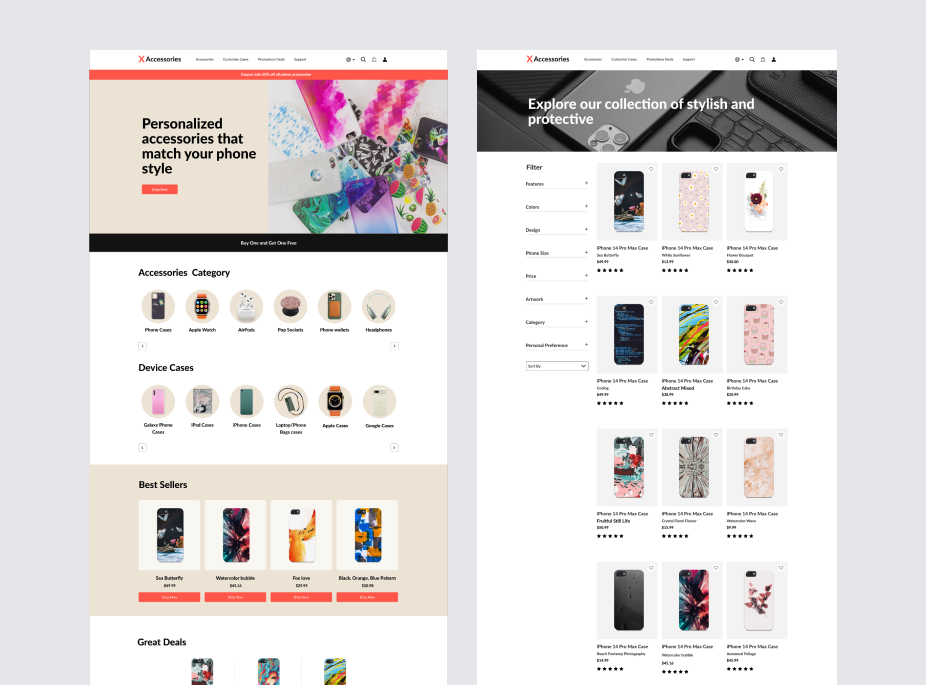
Mobile accessories E-commerce
X Accessories is an e-commerce website that sells customizable tech accessories, allowing customers to personalize phone cases and accessories.
My UX Internship Journey
During my six-month UX internship, I collaborated with the UX team to improve the shopping experience through user research, wireframing, iterative design, and reusable design system components.
Introduction
I embarked on a creative journey with X Accessories to craft an exceptional e-commerce website tailored to the unique desires of users seeking customizable phone case accessories. This endeavor aimed to deliver a seamless and delightful shopping experience, characterized by a diverse array of customization options and top-notch product offerings. I focused on a comprehensive UX design process, encompassing creative problem-solving, competitive analysis, customer journey mapping, and the development of user personas, all geared toward elevating the X Accessories platform.
Project Brief & Requirements:
The project brief and requirements were provided by the UX team. I followed the defined goals, user needs, and project requirements to create UX design solutions and deliverables throughout the design process.
UX Team Collaboration:
Worked with a UX team during the design process, receiving feedback through design reviews and iterating on my UX solutions based on team recommendations.
Team Members:
Kuyheang Baker (Product designer)
Neha Shekar Patil (UI & UX designer/Product designer)
Project Type: E-commerce website design
Tools: Figma, Google Meeting
Design Challenge: Rethink the experience the process of purchasing tech accessories.
Design Process Overview:

Case Study Menu:
Details in this case study have been intentionally generalized to comply with client's contractual confidentiality requirements.

Analyze existing e-commerce experiences to identify for the strengths, and opportunities for improving the X Accessories shopping experience.
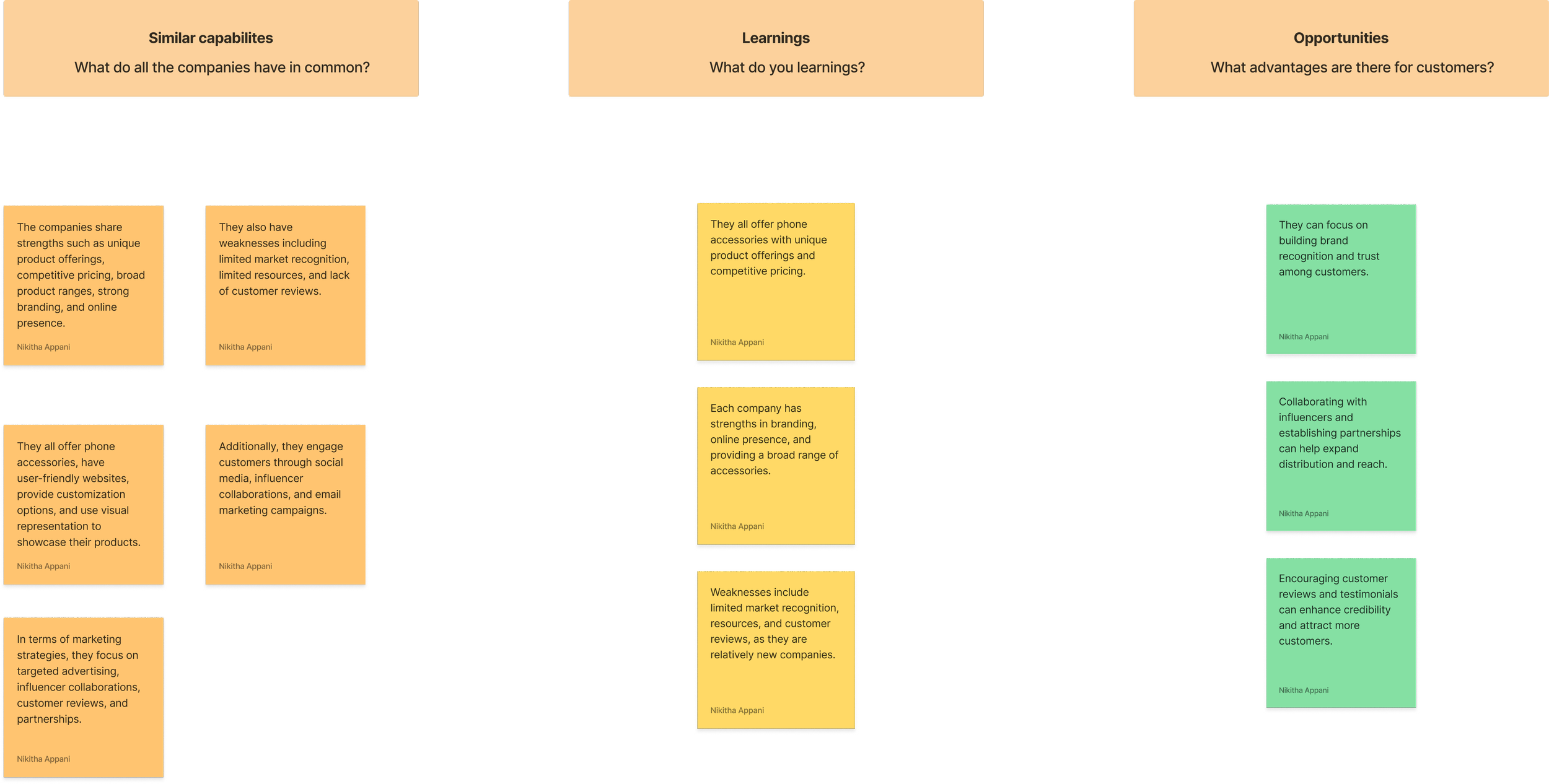
Competitor Analysis
The project's initial challenge entailed conducting a thorough competitor analysis. The SWOT analysis identified common strengths, such as intuitive navigation and personalization, and weaknesses, including cluttered layouts and complex user flows. These insights guided design decisions.

Sitemap
Created the sitemap to help organize webpage sections in a step-by-step workflow, ensuring a smooth navigation for key sections such as accessories, customized cases, customer support, promotional deals, and login/register account.
Persona Ava — Visual Designer

User Personas
To address user needs, I created two personas: Ava, a visual designer, and Ethan, a marketing professional. These personas guided design decisions for improving the shopping experience, customization options, and personalization features of X Accessories.


Persona Ethan — Marketing Professional


Journey Map of purchasing a phone case

What do you learnings?

Journey steps ➤ Identify need for a case ➤ Research case ➤ Prices and features case ➤ Decision and purchaseReceive ➤ New phone case
User actions

Goals & experiences

Feelings and thoughts

Opportunities

Need and Pain points

Customer Journey Map
To create a user-centric design, I meticulously researched and constructed a customer journey map. This visual representation illuminated the sequential steps, goals, experiences, emotions, and thoughts that users undergo during their interaction with the e-commerce platform. This detailed mapping enabled a deep understanding of the user's voyage, particularly during the process of purchasing and customizing phone case designs for X Accessories. By identifying pain points and opportunities at every juncture, I ensured a smooth and intuitive user experience, paving the way for seamless transitions and reducing obstacles.
Journey Map of purchasing a phone case

What do you learnings?

Journey steps ➤ Identify need for a case ➤ Research case ➤ Prices and features case ➤ Decision and purchaseReceive ➤ New phone case
User actions

Goals & experiences

Feelings and thoughts

Opportunities

Need and Pain points

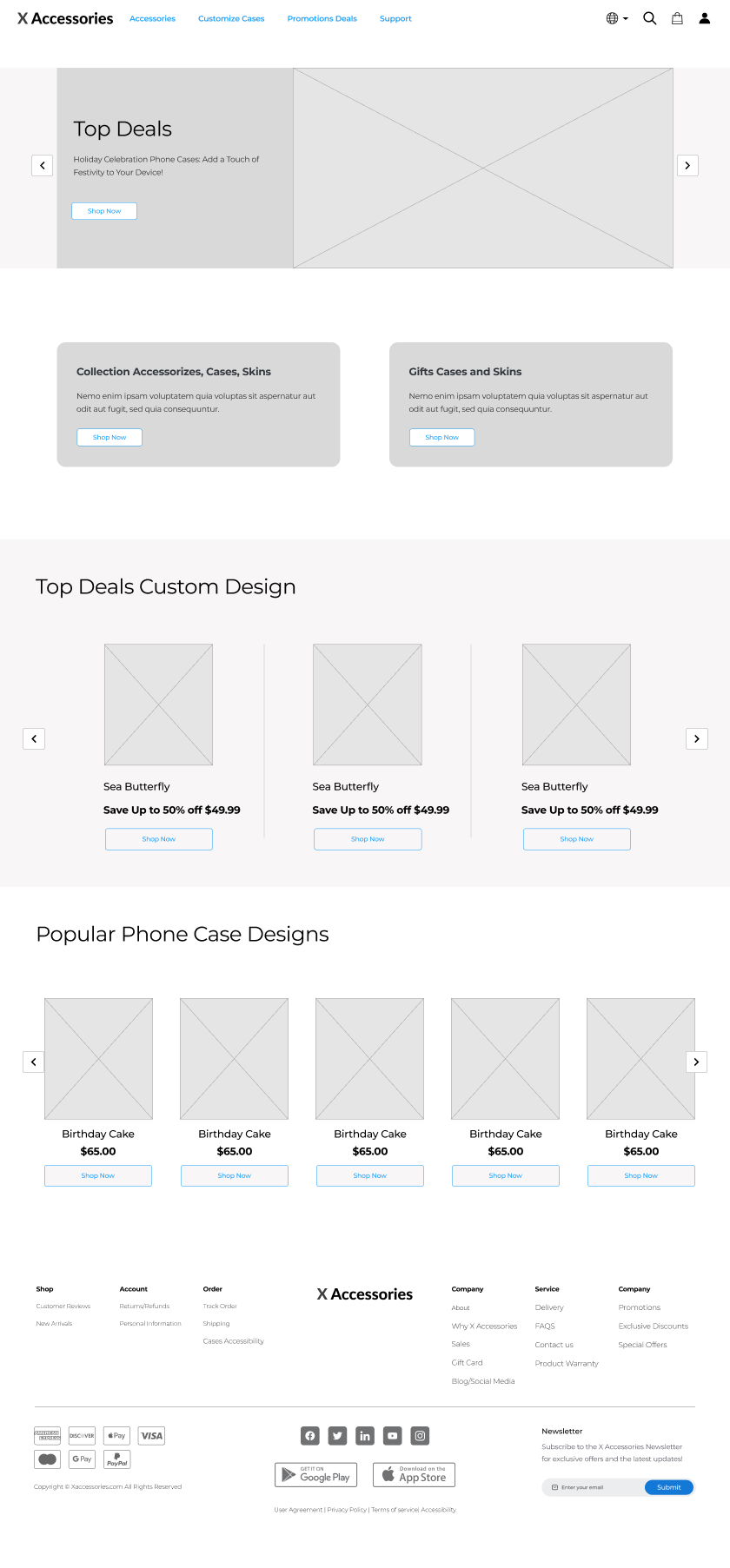
Homepage
Support
Promotion Deals
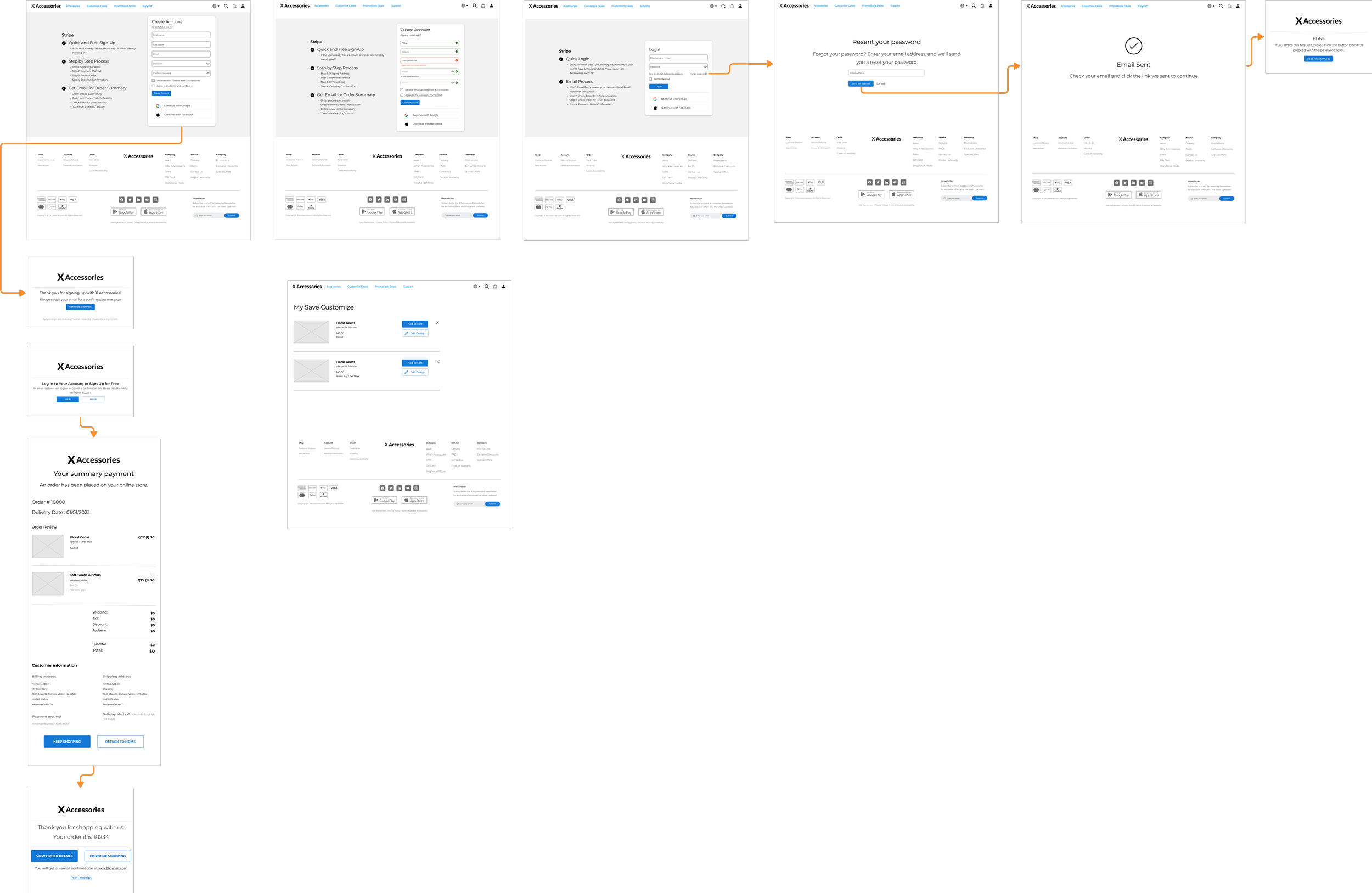
Login/Sign up
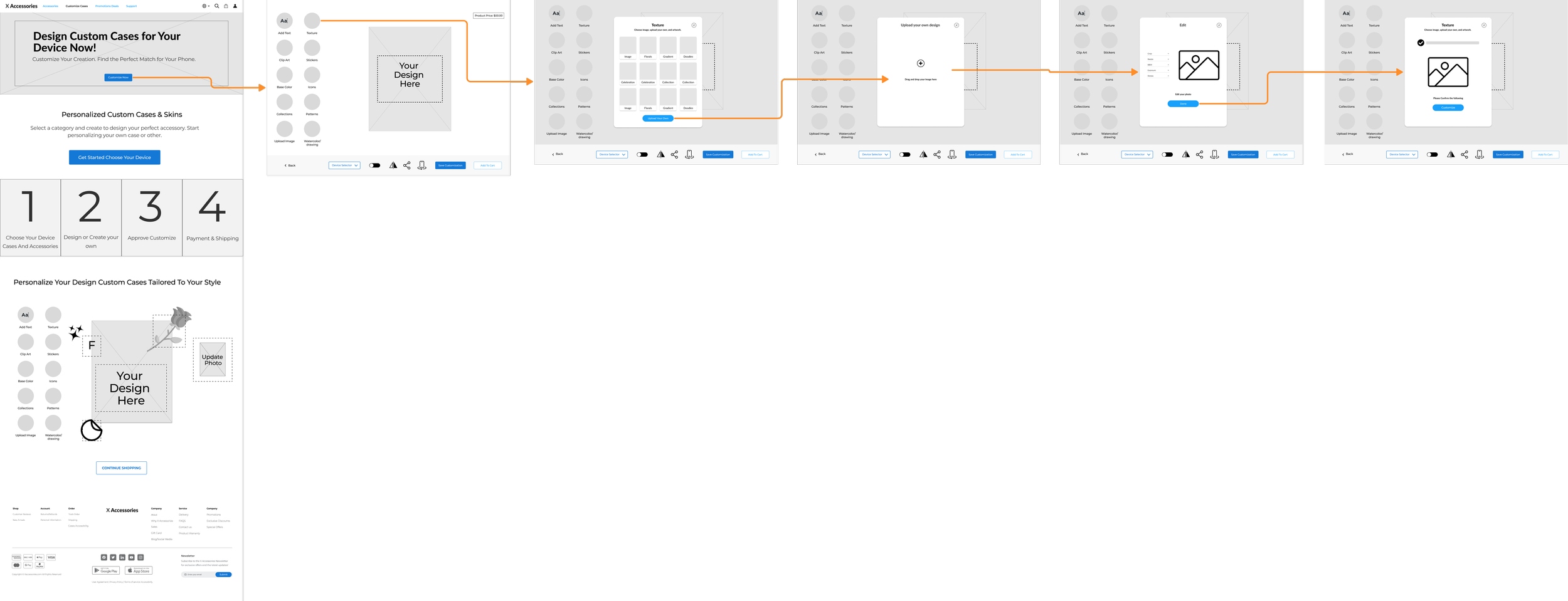
Custom Cases
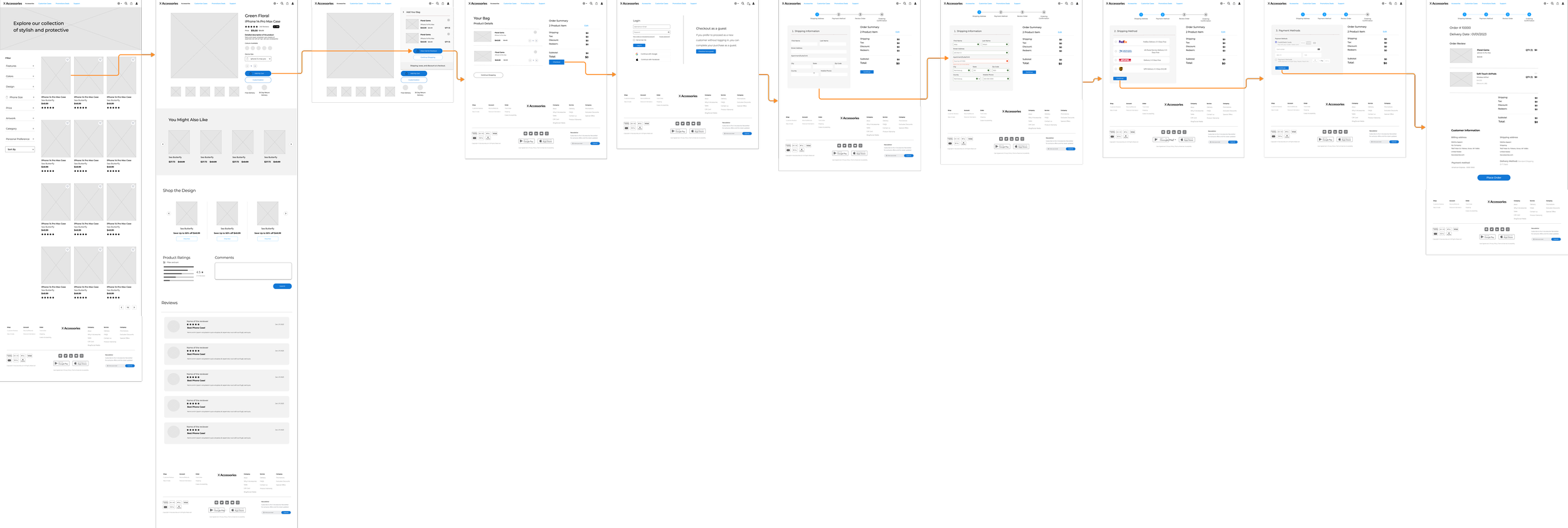
Product Browsing
Footer Navigation
About → Company information
Social Media → External social platforms
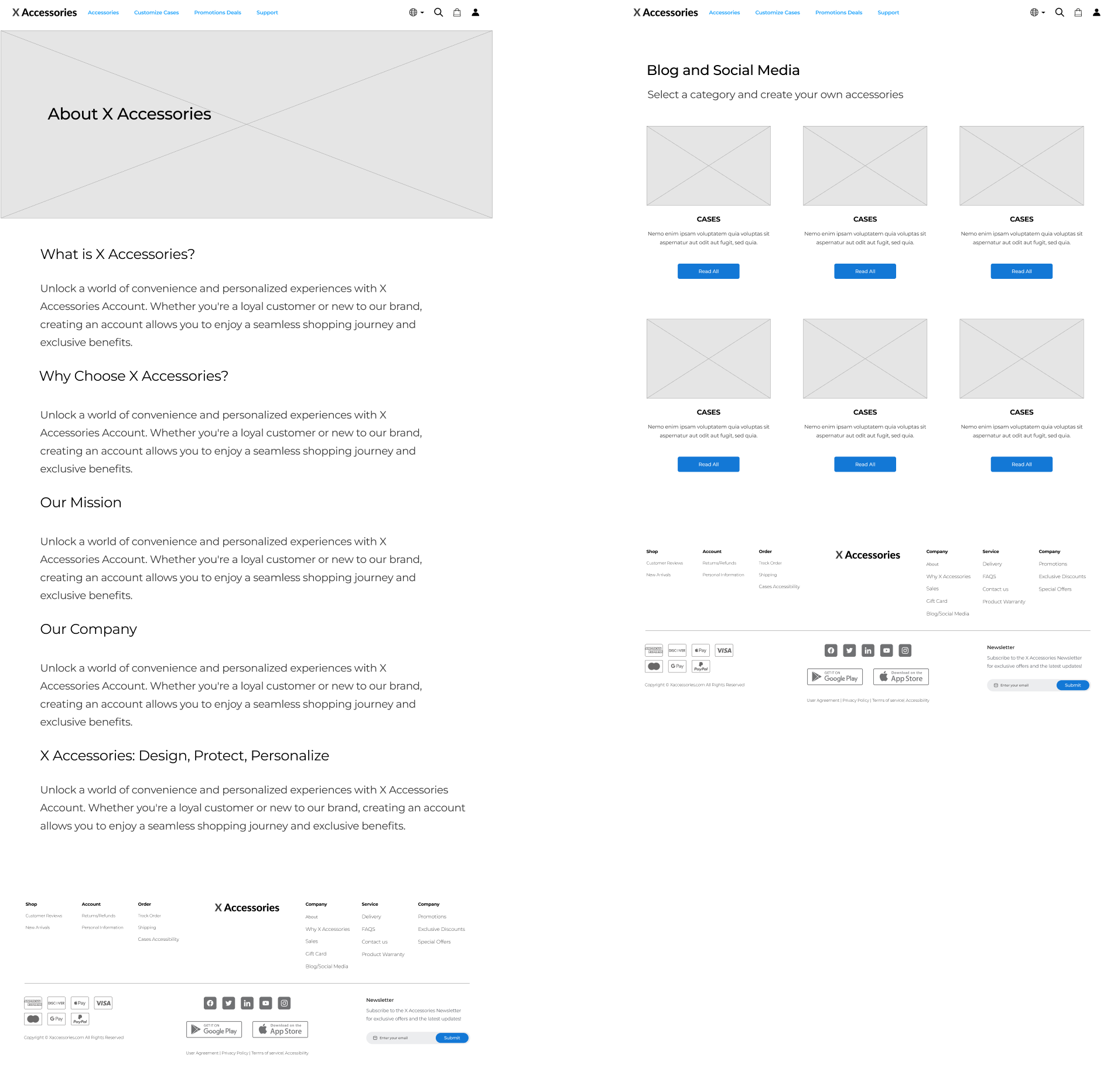
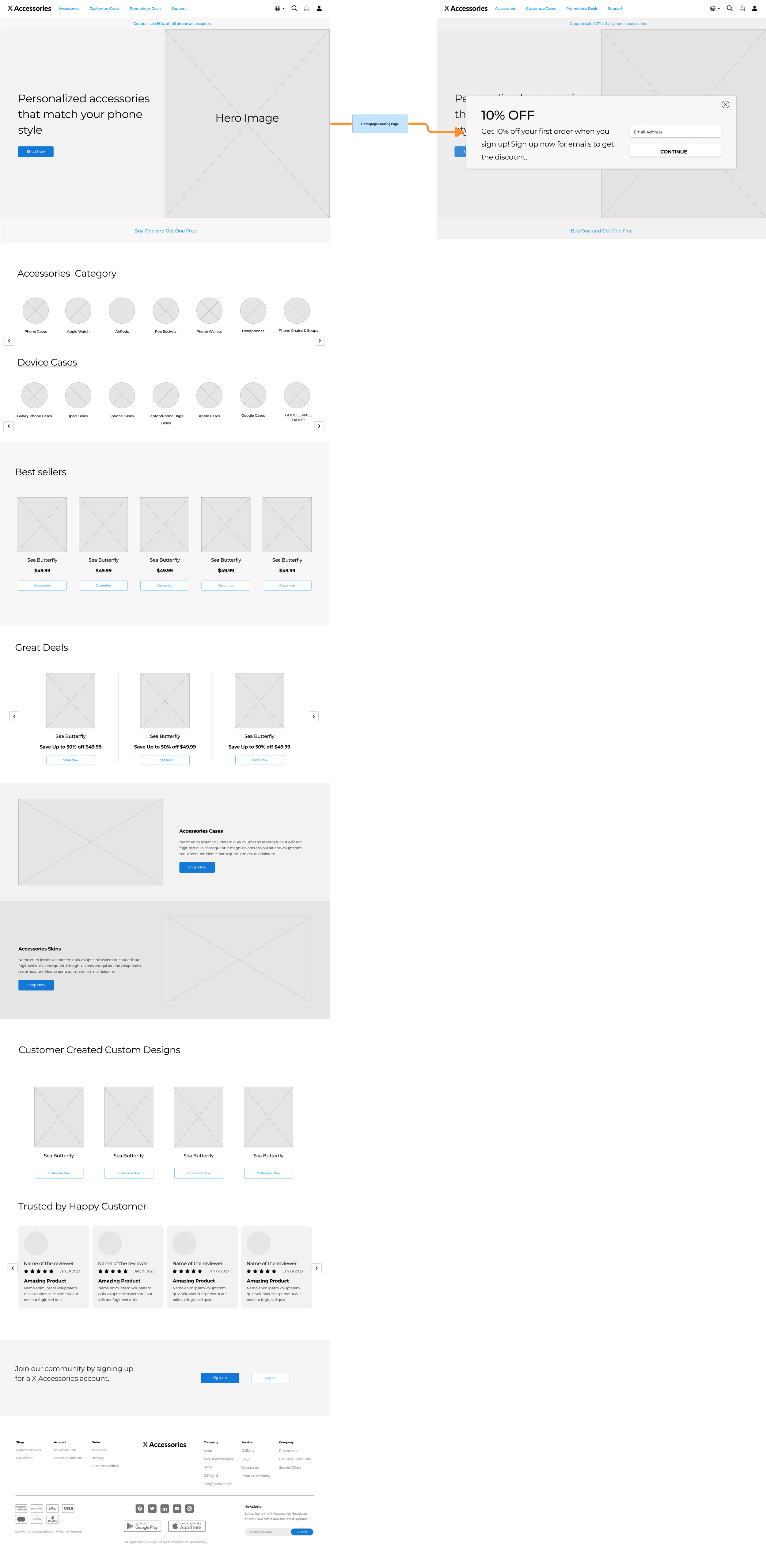
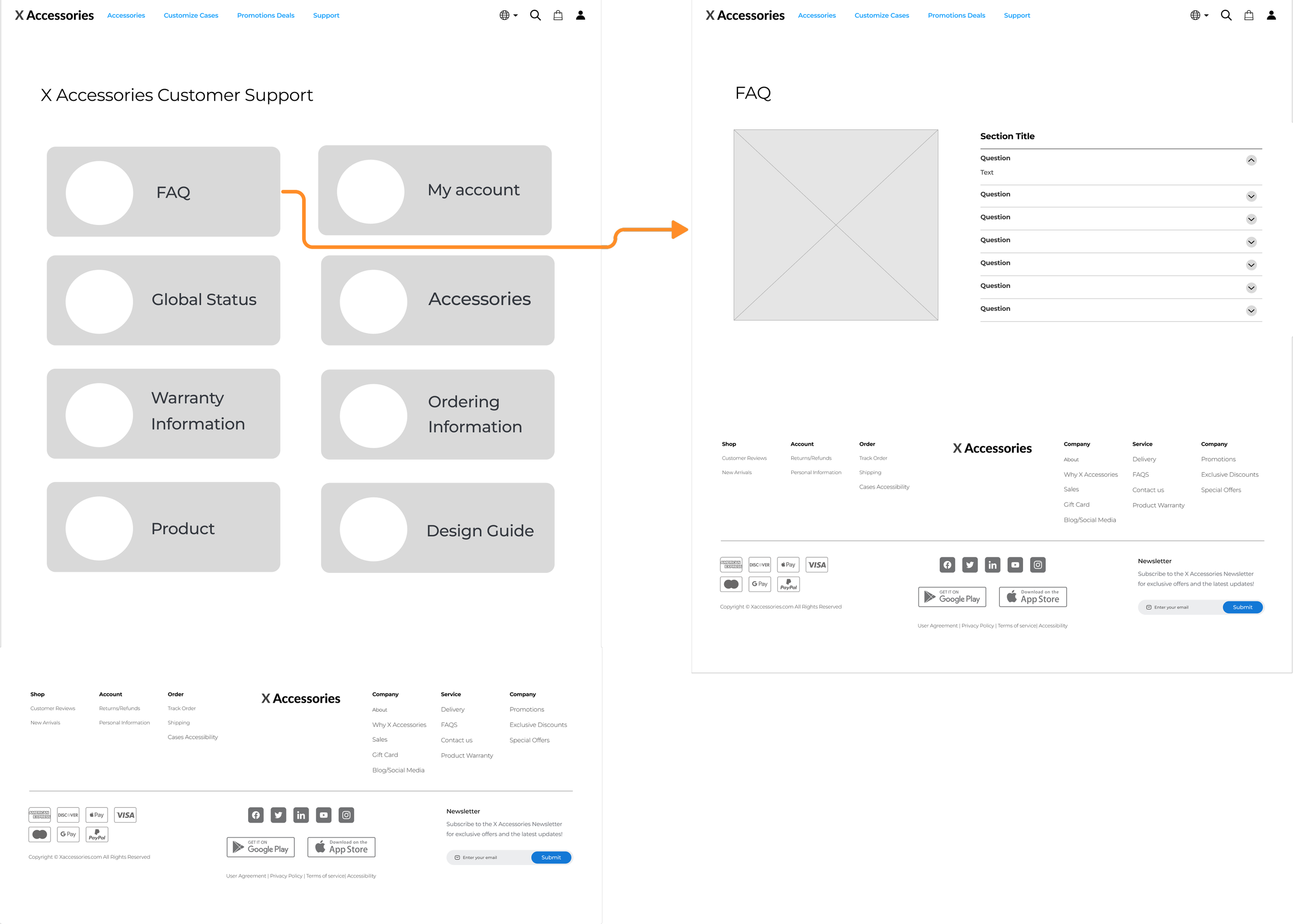
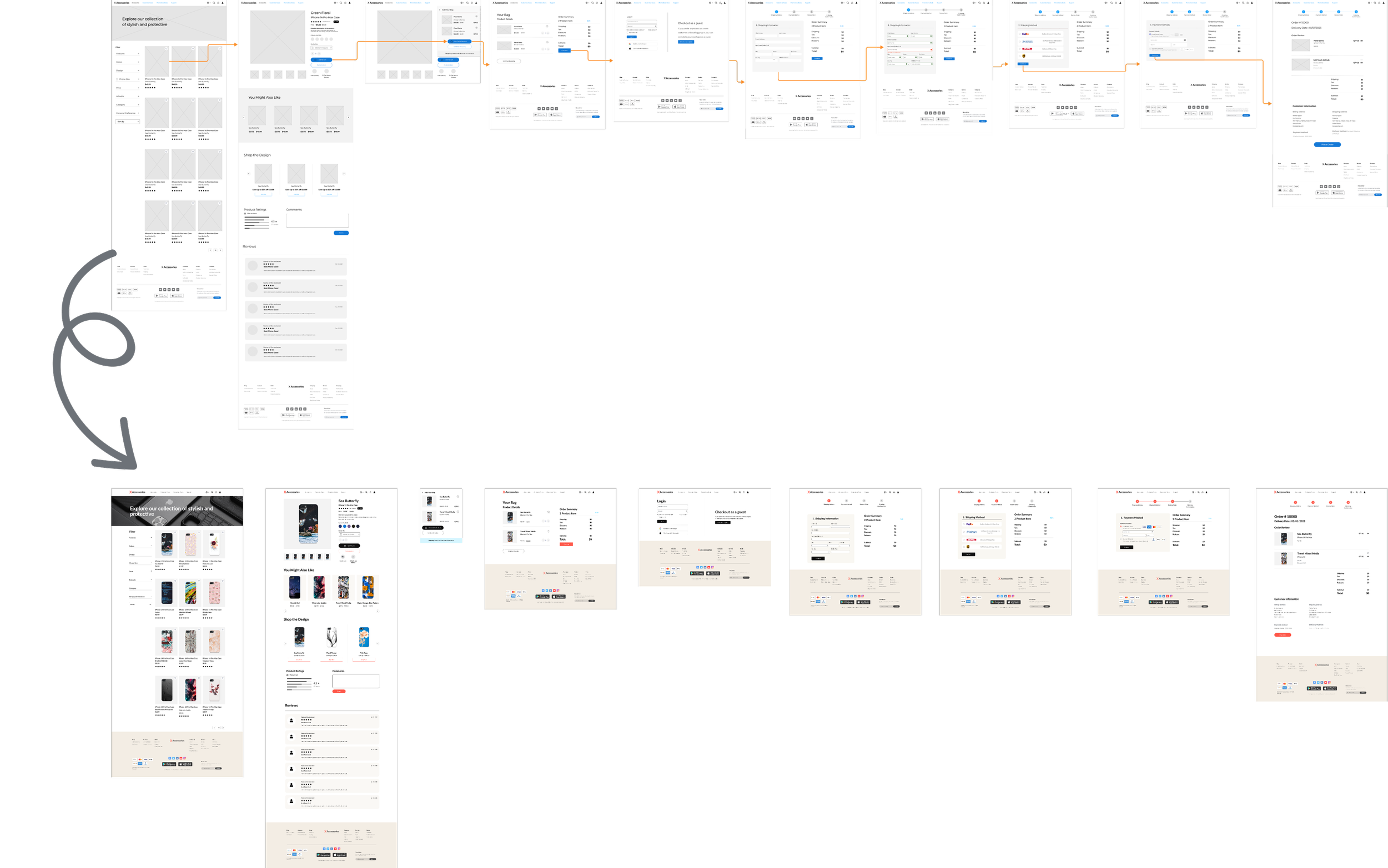
Low-Fidelity Wireframes
I started by creating basic wireframes to outline the website's structure. These low-fidelity sketches helped plan the page layout and user flow for accessories, customization, customer support, promotions, and account registration.
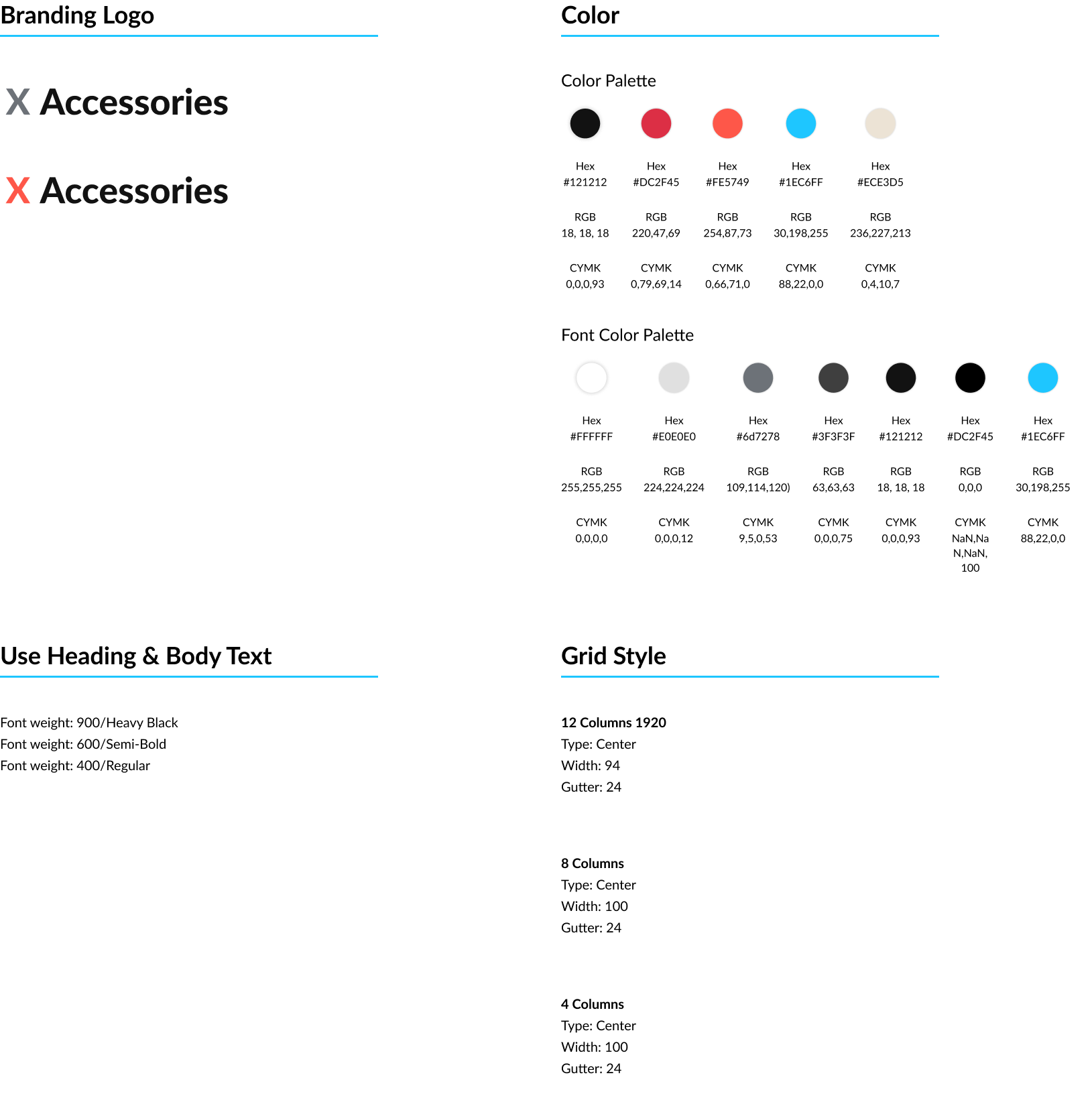
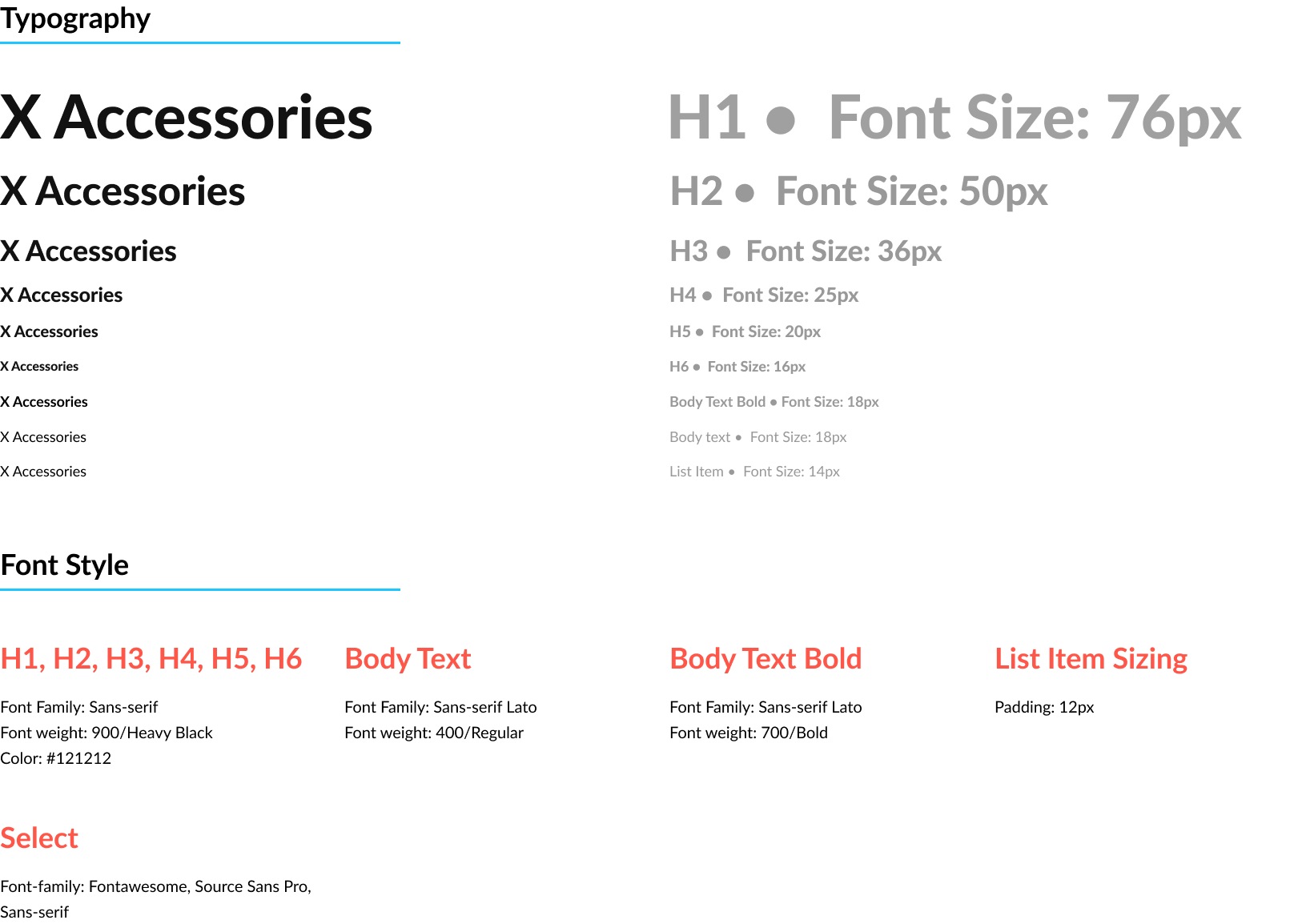
Guidelines & Typography
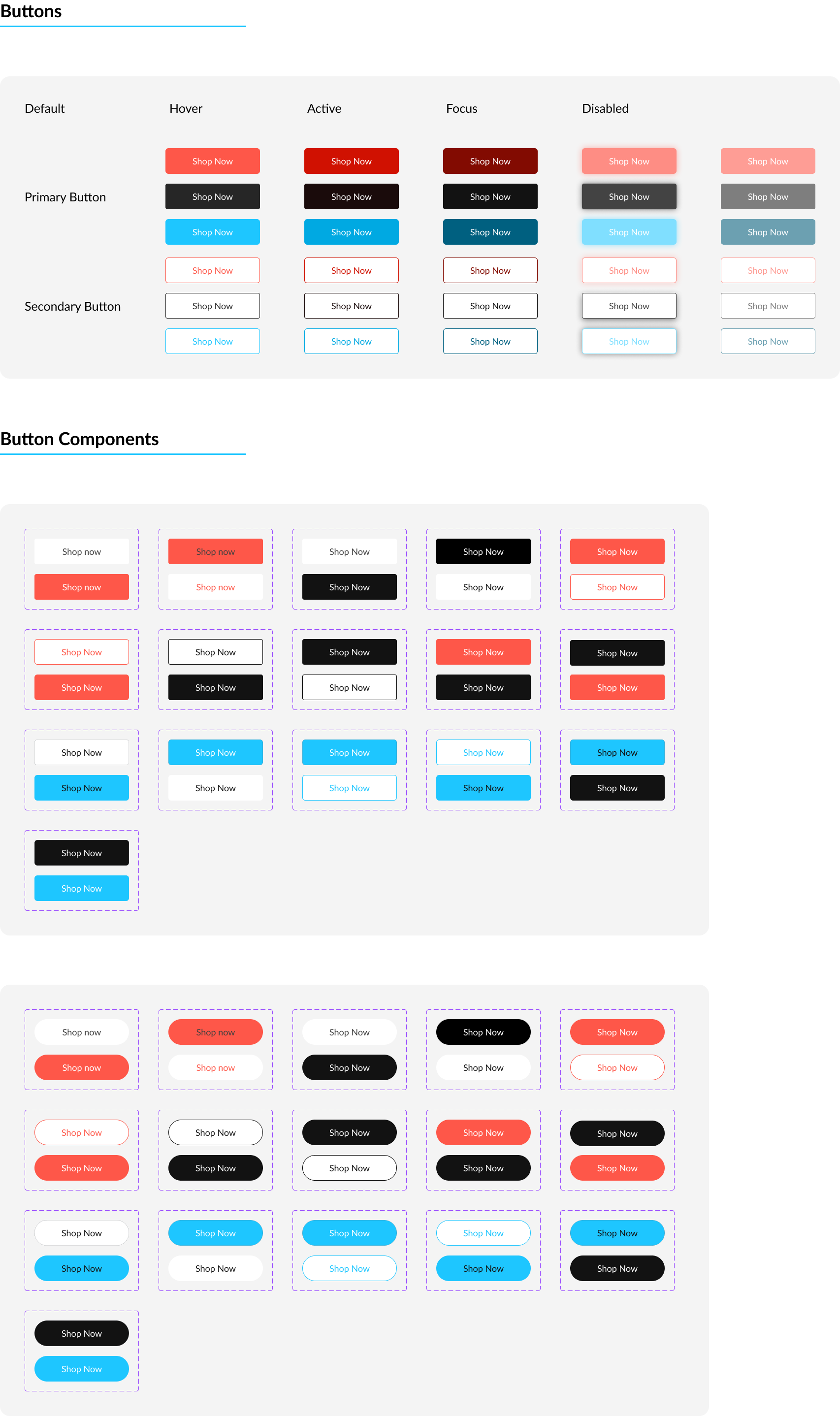
Button System & Components
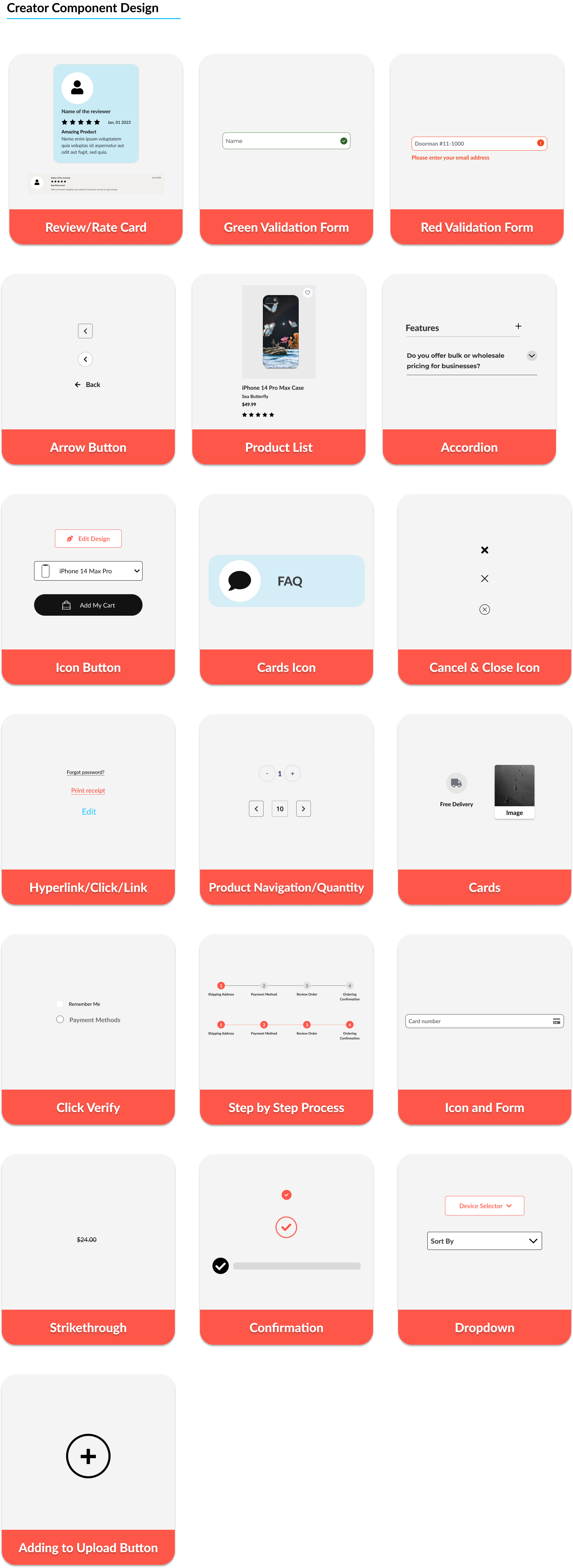
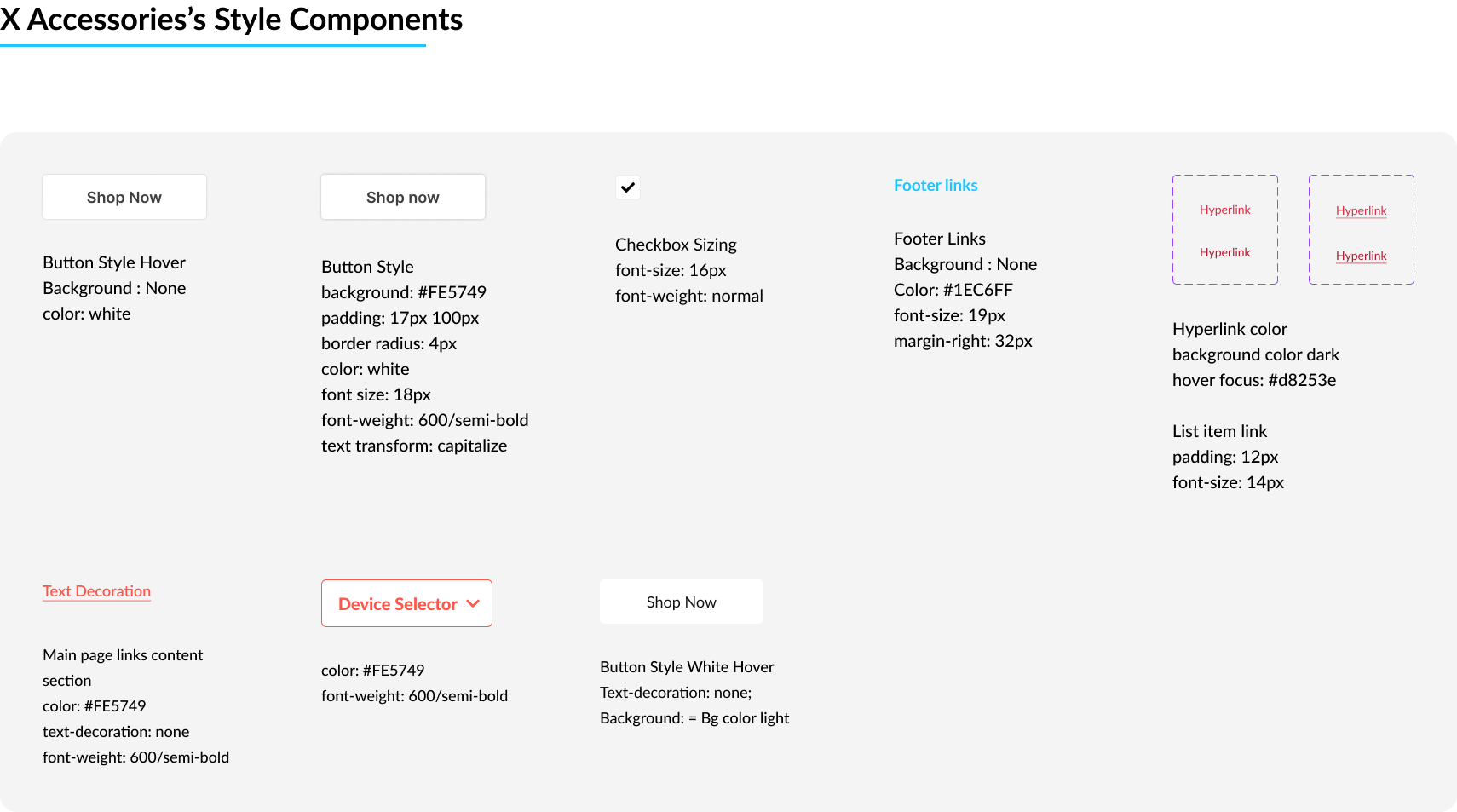
Design Guidelines and Design System
I created high-fidelity designs using the company's branding and applied the established design guidelines and design system for consistency. This experience was invaluable for understanding design principles and guidelines.
Design Guidelines & Design System
Typography • Colors • Buttons • Components
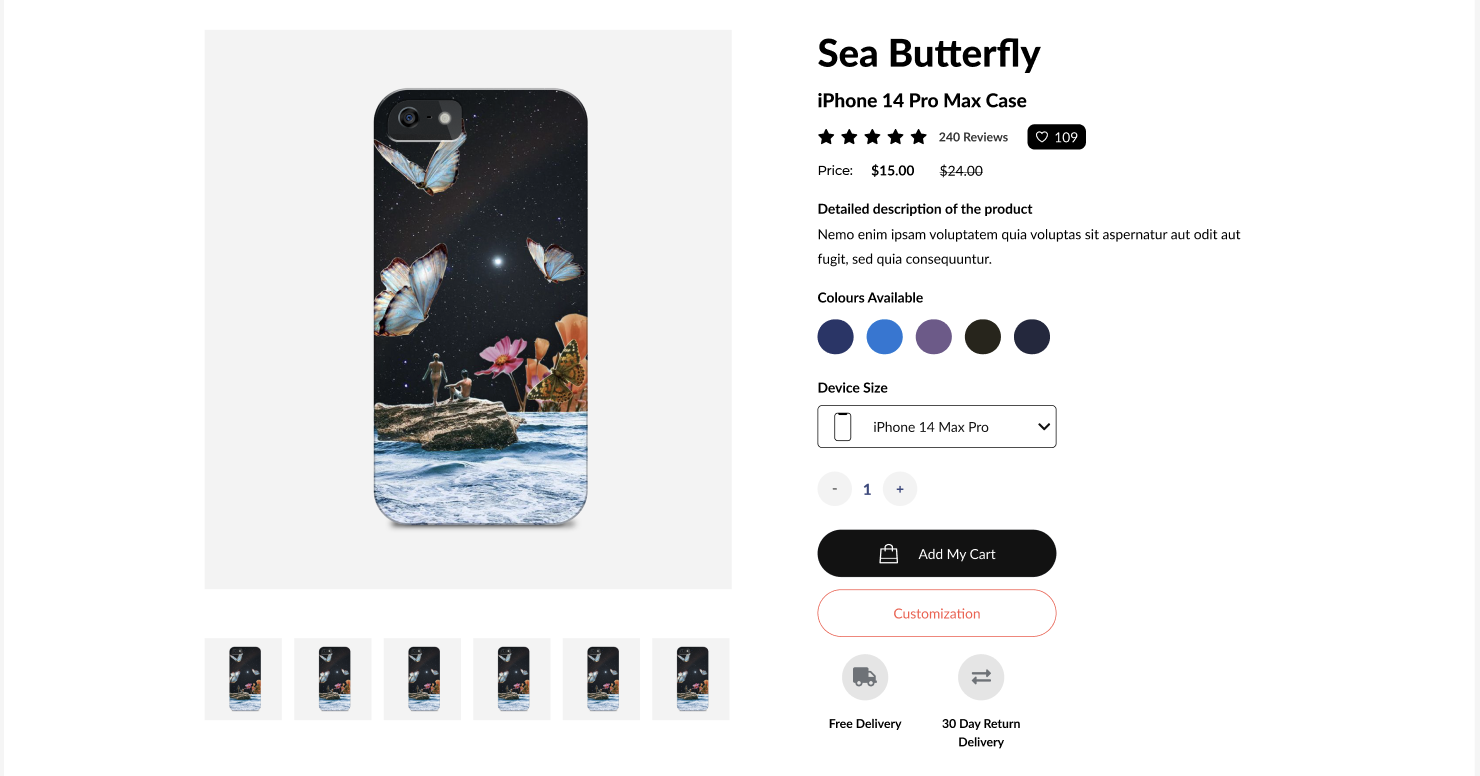
Product Details
UI objective: Help users understand the product, select their device size, and add/customize the case.
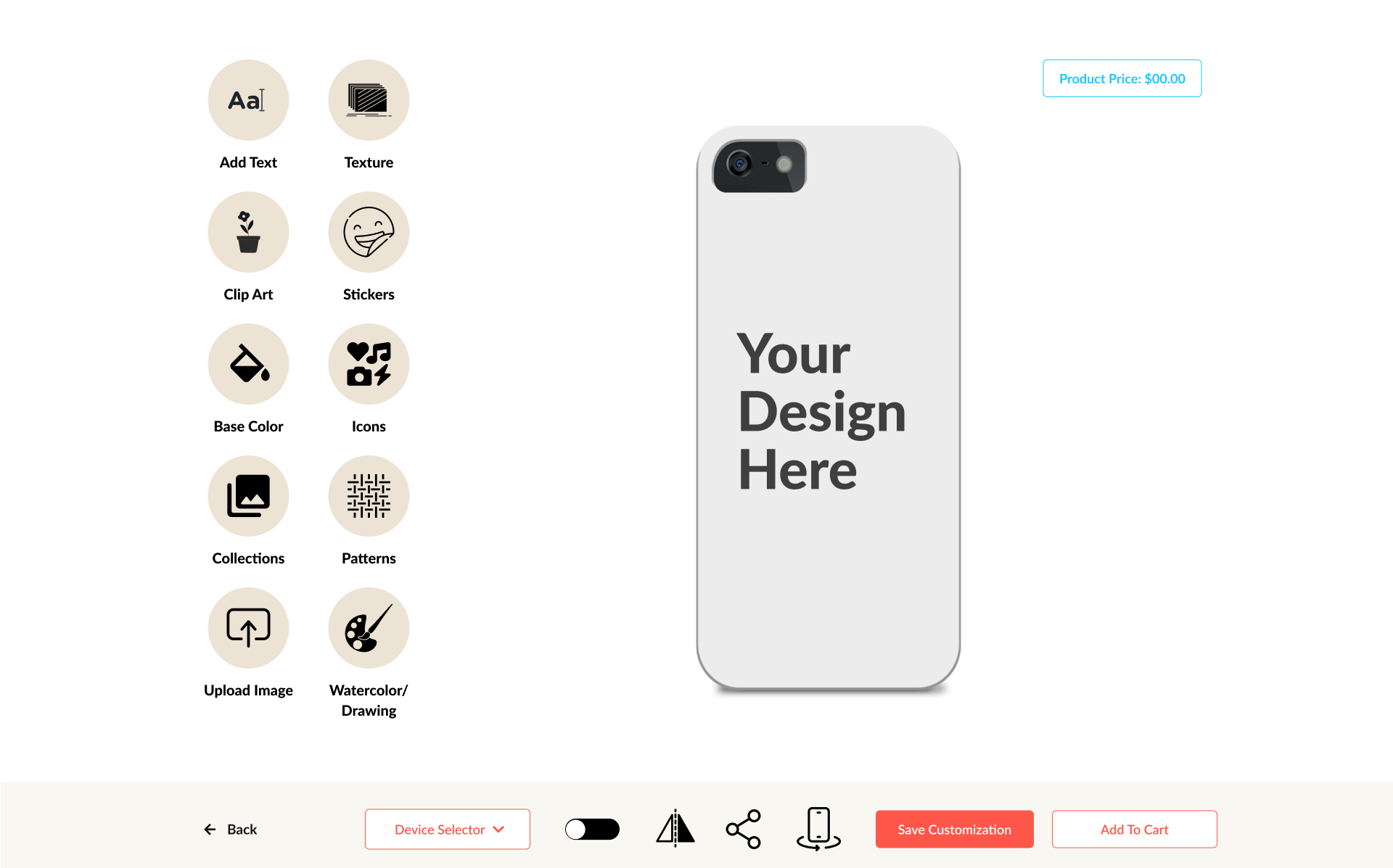
Custom Cases
UI objective: Guide users through the customization process step by step.
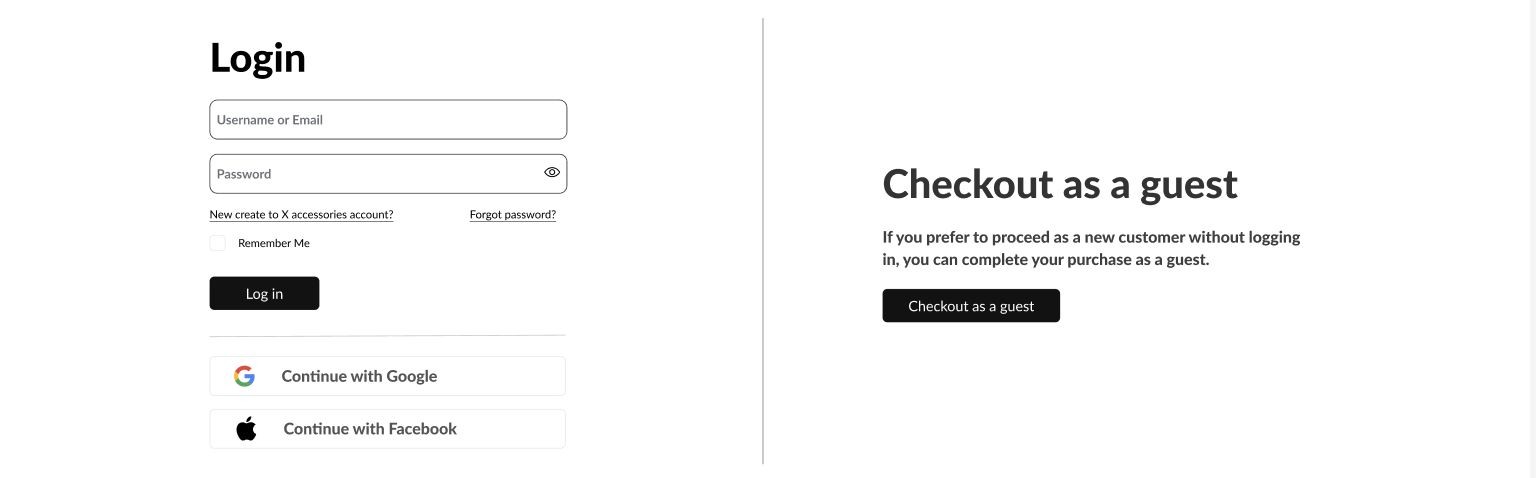
Checkout
UI objective: Help users review their order and complete payment with clear progress.
High-Fidelity & Prototype Wireframes
Next, I transformed the low-fidelity wireframes into high-fidelity designs. I applied the design system to maintain consistency in color, typography, buttons, components, and other visual elements. I followed user-centered design principles and accessibility standards. Finally, I created interactive prototypes with buttons and links to demonstrate the user flows.
Product Browsing ➤ Product Details ➤ Order Summary ➤ Checkout/Payment
DESIGN REVIEW & ITERATION
01 — Checkout progress
Feedback: Show checkout progress steps.
Change: Added progress steps to the checkout flow.
02 — Order Summary/Checkout
Feedback: Clarify the purpose and organization of the checkout summary.
Change: Refined the cart and order summary to create a consistent checkout experience.
INTERACTIVE PROTOTYPE
User Testing
Problem Statement:
The X Accessories website had usability challenges that affected navigation, product discovery, and the customization experience. The UX team reviewed the experience to identify opportunities for improvement and create a more intuitive e-commerce journey.
Pain points:
Difficulty finding products and navigating categories.
Complex customization process.
Inconsistent user flows across different sections.
Tool Used:
Figma
Google Meet
Participants:
UX design team members
project stakeholders
Review Goals:
Evaluate navigation and product discovery.
Review the customization workflow.
Identify usability issues and pain points.
Improve the overall user experience.
Summary:
The X Accessories e-commerce experience was reviewed throughout the design process. I incorporated UX team feedback to refine the user flows, content organization, and interface through multiple design iterations.
Conclusion
This project helped me understand the full UX design process, from research to final prototyping and testing. I learned how connecting user personas with journey mapping improves design decisions and enhances the overall user experience. A key challenge was organizing user steps into a clear and logical flow, as it was initially difficult to define how each action connects across different stages of the experience.
Overall, this project strengthened my practical UX skills and design thinking process.