
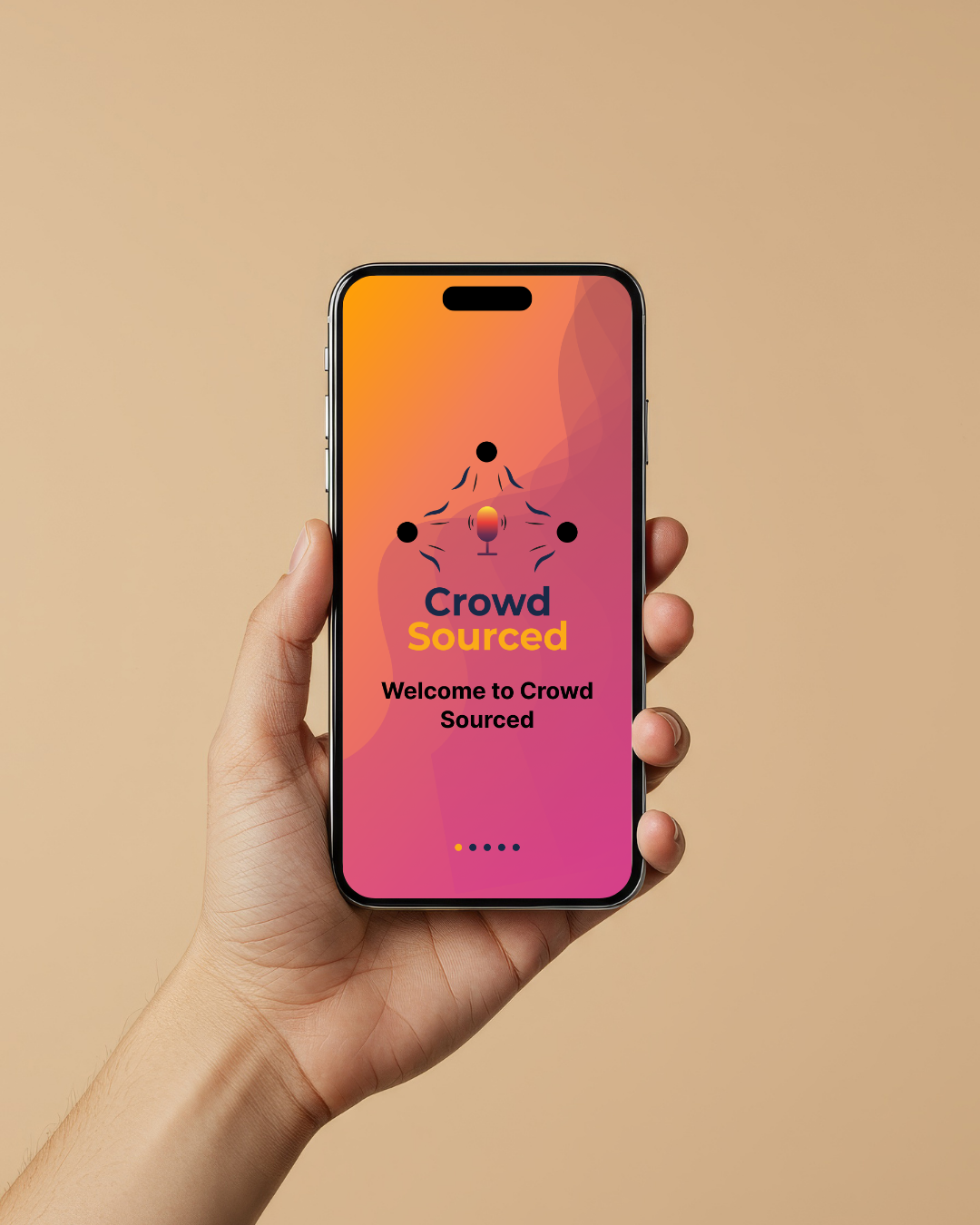
CrowdSourced
CrowdSourced is a mobile application designed to support real-time communication between deaf and hearing individuals through voice-to-text translation and live captions during conversations and meetings.
Originally named “CrowdSourced CC Translation,” the project was refined to “CrowdSourced” to create a simpler and more scalable product identity.
This is one of my most meaningful projects. I independently designed the full UX/UI process, from research through final prototype, including sitemap, wireframes, UI design, and interactive prototyping.
Problem
People need real-time communication between deaf and hearing users
Solution
Designed a mobile app with live captions
Tools
Figma (wireframes, UI design, prototyping)
Design Process
Research/Analysis → Planning → Ideation Wireframes (Low + High Fidelity) → Testing → Final Design
Outcome
Created a functional prototype focused on improving accessibility and communication between deaf and hearing users through real-time captioning.
App Information architecture & User Flow
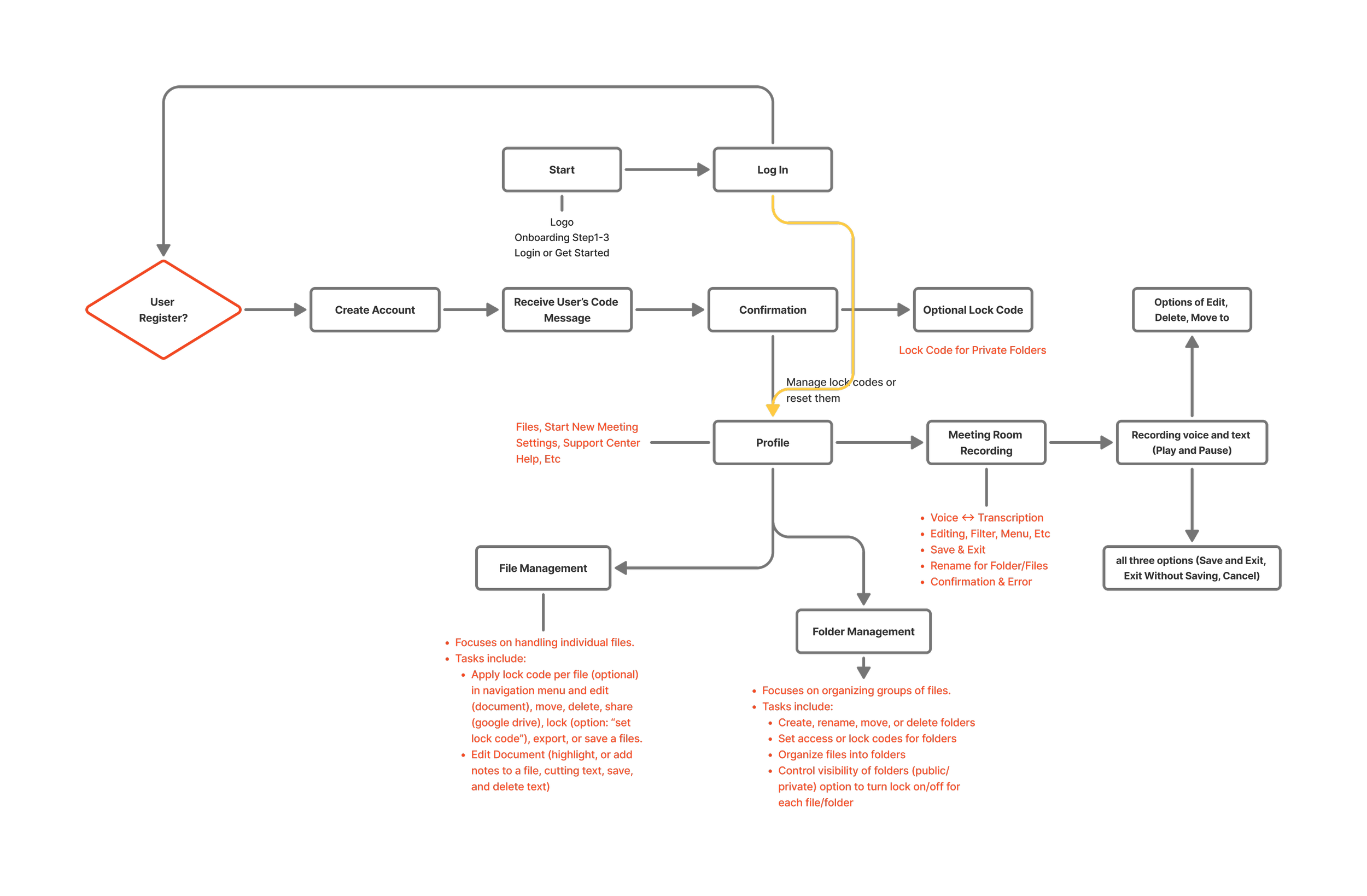
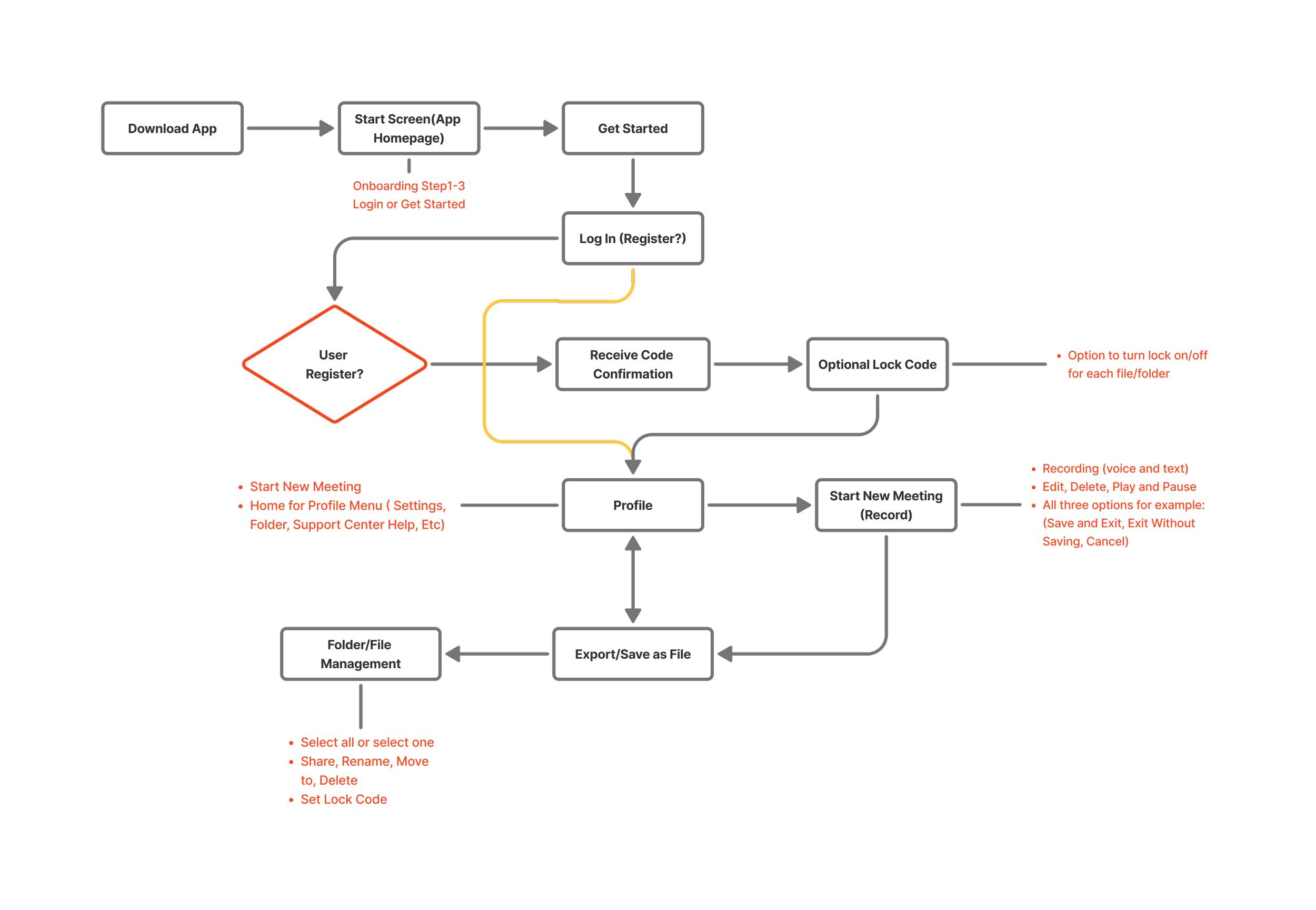
This project was created to organize and visualize the app’s information architecture. The diagram shows how users navigate through CrowdSourced, from login to recording, managing, and exporting translated meetings.
It outlines a step-by-step workflow that supports smooth navigation across core features.
Key features include:
Account Login
Profile Management
Meeting Room (Voice Translation)
Folder & File Management
Upgrade Options
Low-Fidelity wireflow/Wireframe
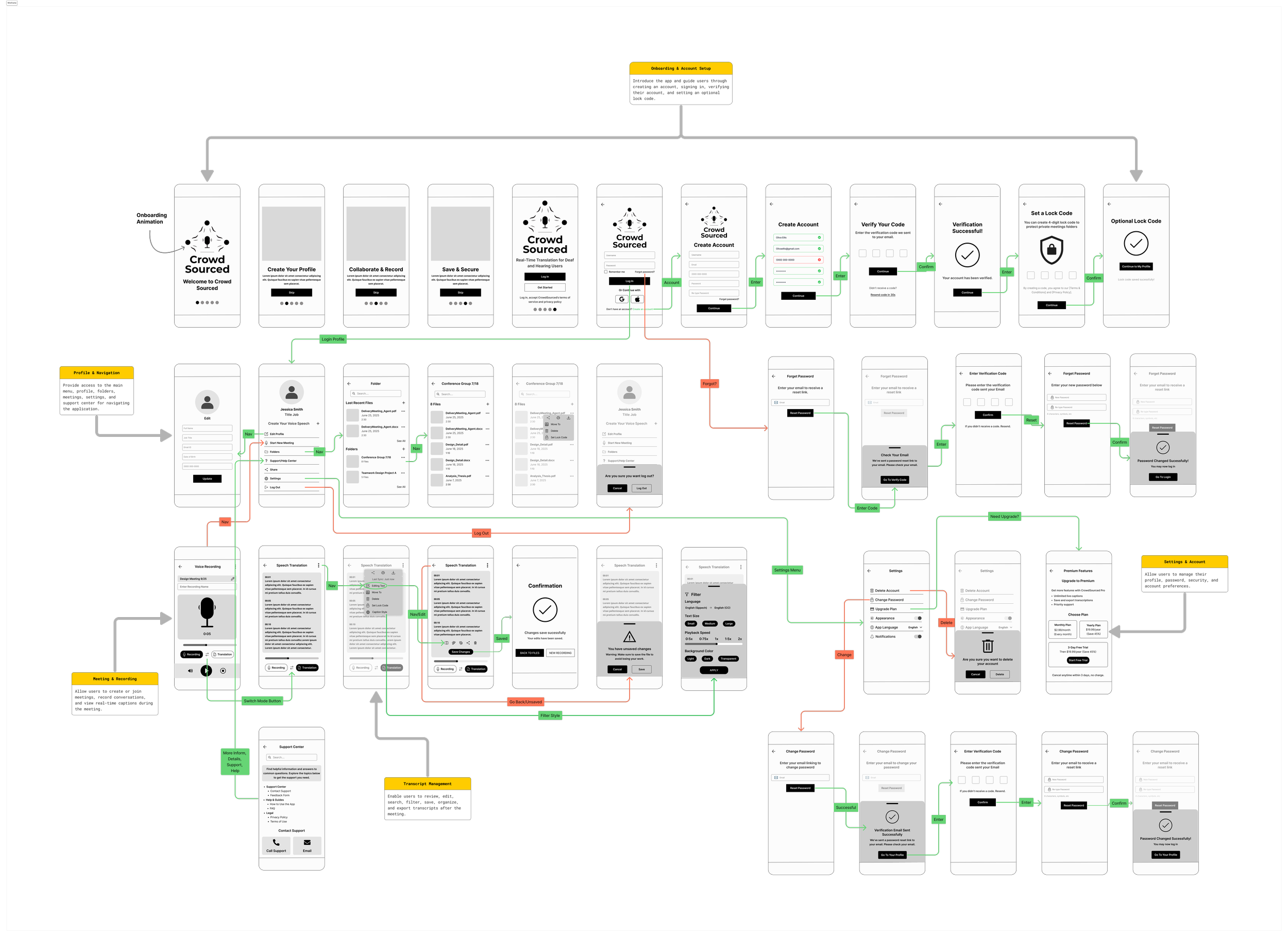
Goal: Define navigation structure and key decision points before moving into high-fidelity design. to this wireflow map the user journey across sections like onboarding, home/profile, translation, etc.
Focus: accessibility, caption translation, file organization, and clear onboarding flow.
High-Fidelity Wireframe
This user flow illustrates the complete journey through the Crowd-Sourced app, from onboarding and login to recording, translating, and exporting meeting transcripts. It highlights intuitive navigation and accessibility features designed to support both deaf and hearing users.
Prototype Wireframe
Designed, explored, created interactive app prototypes in Figma, applying a consistent design system to ensure accessible layouts, reusable components, and smooth user interactions.
The app includes a simple built in FAQ & Support section with answers to common tasks like resetting passwords, recovering files, managing lock codes, and updating recordings. All FAQs are organized on one support page. No extra wireframes needed. This keeps the app clear, accessible and easy to navigate.
Typography & Color Style
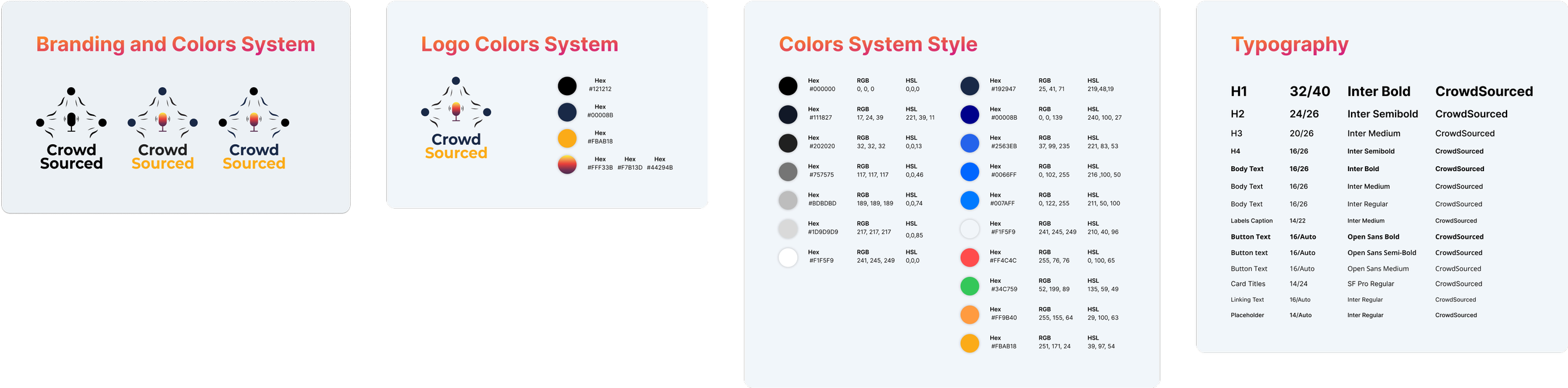
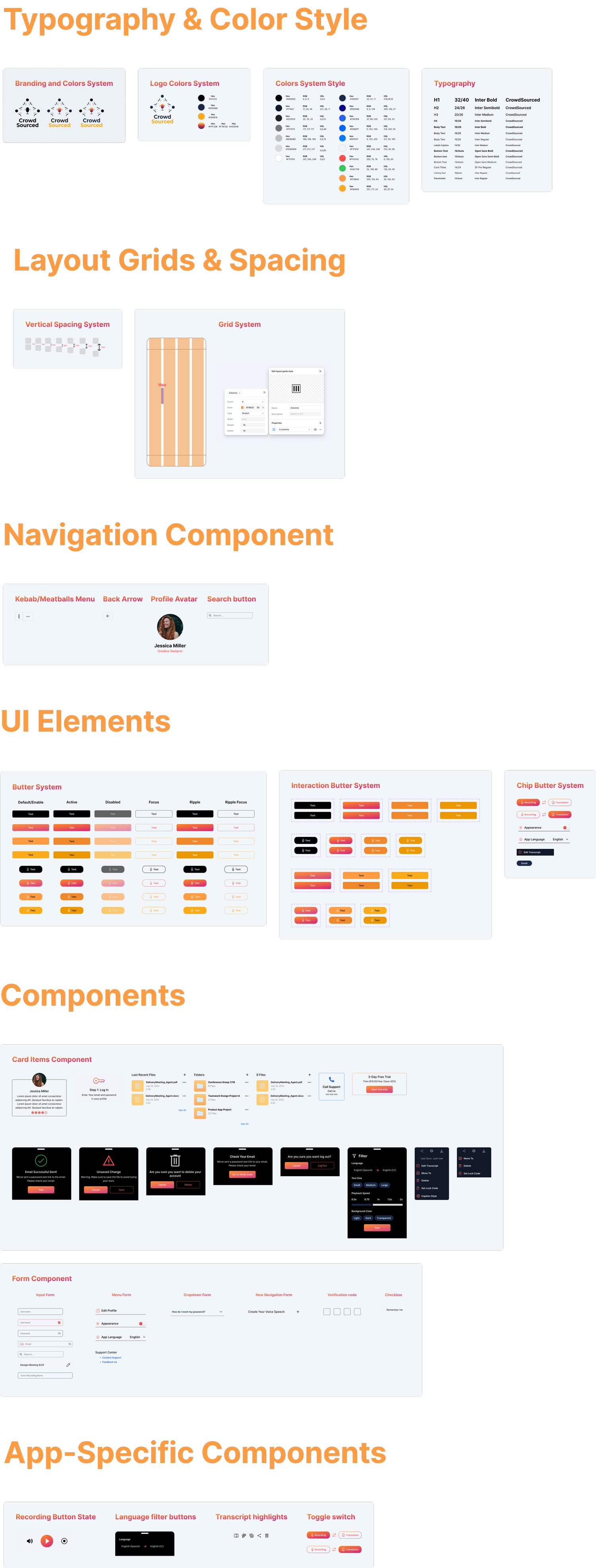
Typography and color styles were established to create a consistent visual identity and improve readability throughout the application.
Layout Grids & Spacing
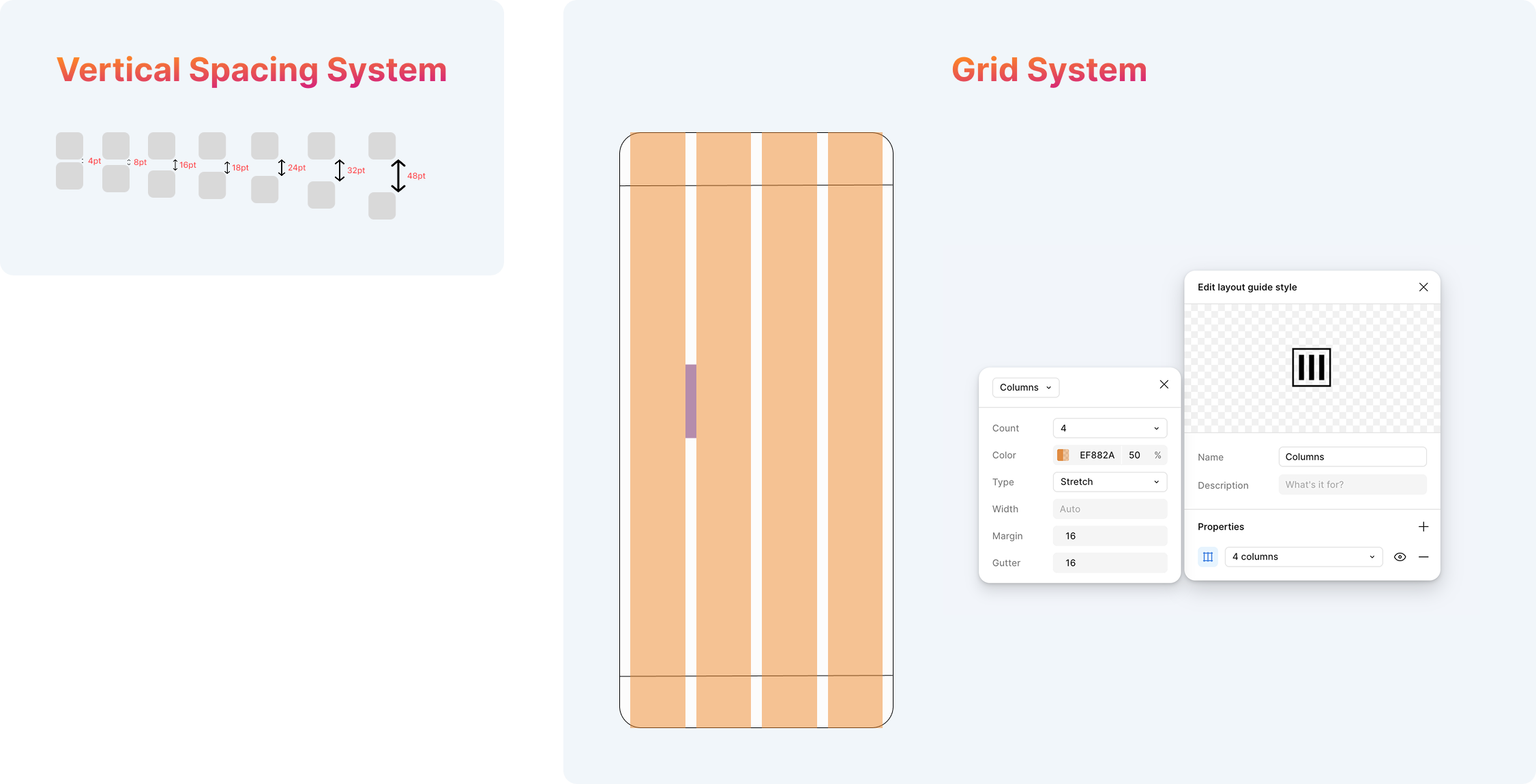
A grid and spacing system was used to maintain consistent alignment and layout across all mobile screens.
Navigation Component
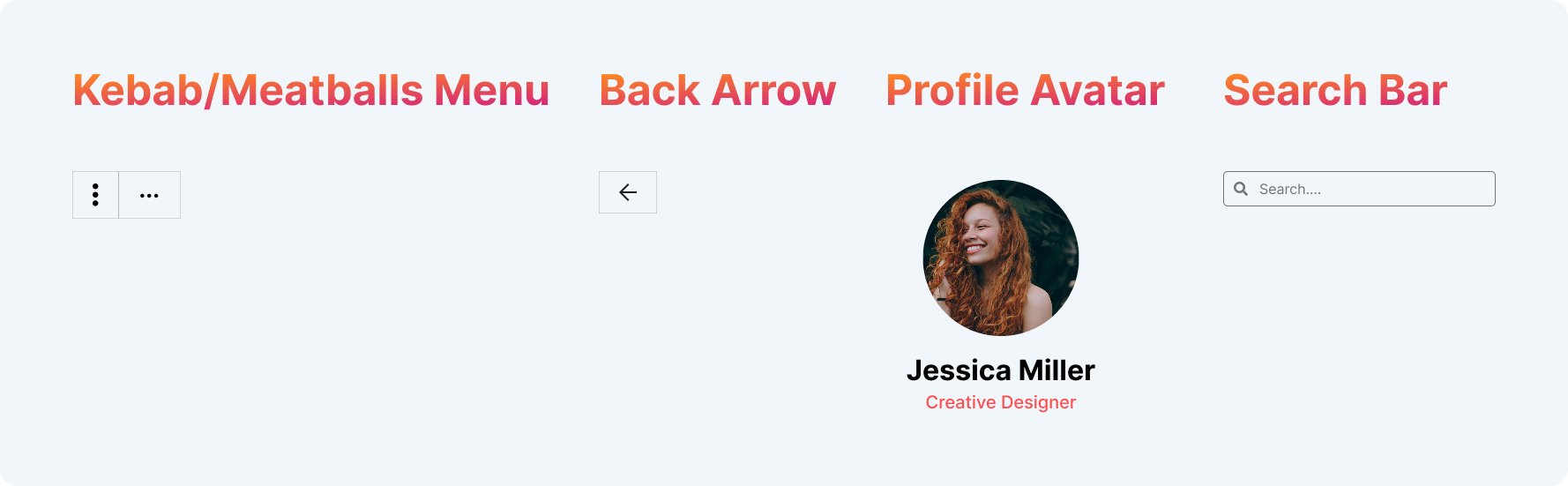
Reusable navigation components were created to provide consistent navigation and improve usability throughout the application.
UI Elements
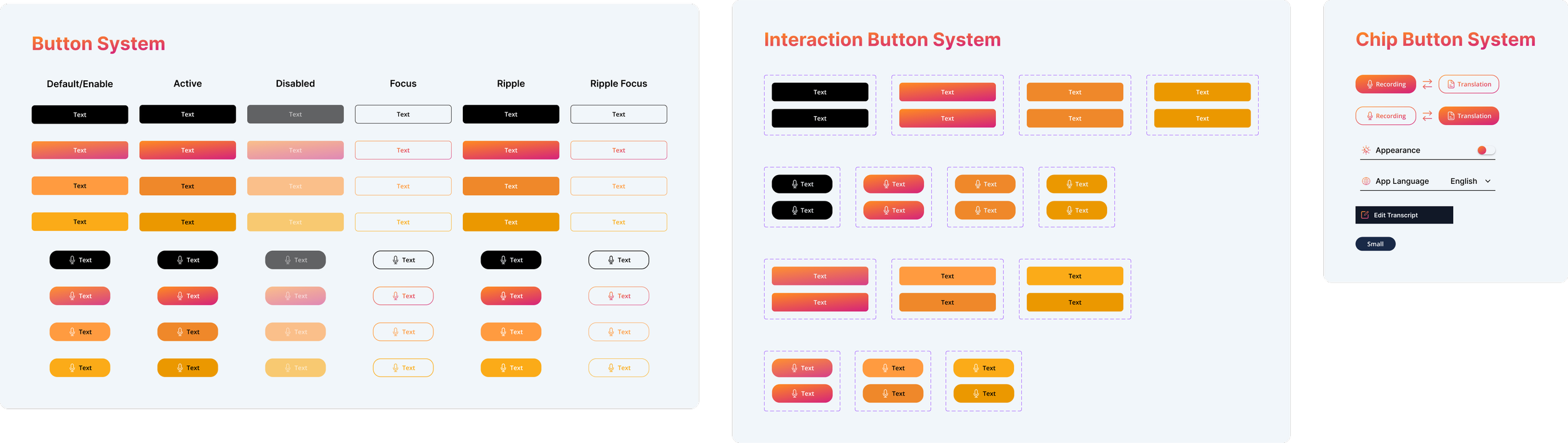
A consistent set of interactive UI elements was designed to support common user actions and maintain visual consistency.
Components
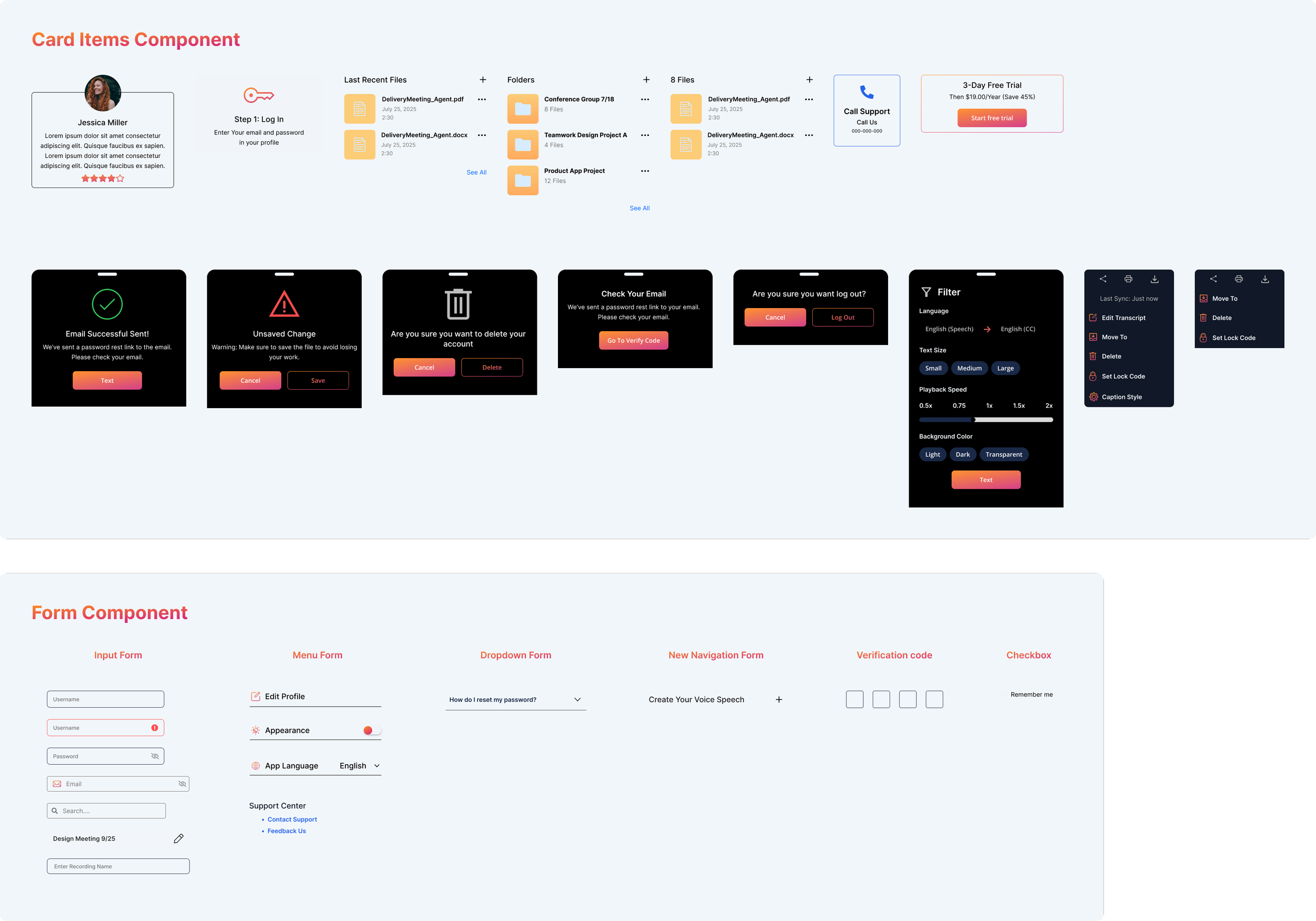
Reusable card and form components were created to standardize layouts and simplify user interactions across the application.
App-Specific Components

Custom components were designed to support core meeting features, including recording, language filtering, transcript highlighting, and settings.
Guidelines Design System and components
Practiced using design-system features, component design, and Auto Layout to create consistent, scalable UI. This helped me demonstrate strong visual design and system-thinking skills, ensuring all app screens stay clear, connected, and professional.
Navigation Components
Help users move through the interface smoothly by providing clear paths to important pages and actions. They improve usablility by making the layout predictable, consistent, and easy to explore.
Components
UI components are reusables building blocks such as buttons, cards, forms, and icons that ensure consistency across the design. They make the design system more efficient by allowing fast updates, better scalability, and a cleaner user experience.
Conclusion
The Crowd-Sourced project allowed me to explore accessibility-driven design by creating a solution for real-time communication challenges. Through this project, I strengthened my understanding of the UX process, including research, planning, information architecture, user flows, wireframes, usability testing, and prototyping. I learned the importance of organizing clear user flows and designing inclusive experiences that address real user needs. This project improved my skills in user flows, component design, and interactive prototyping.